
SosialSparkLab
YouTube Thumbnail Templates
(Canva-Ready)
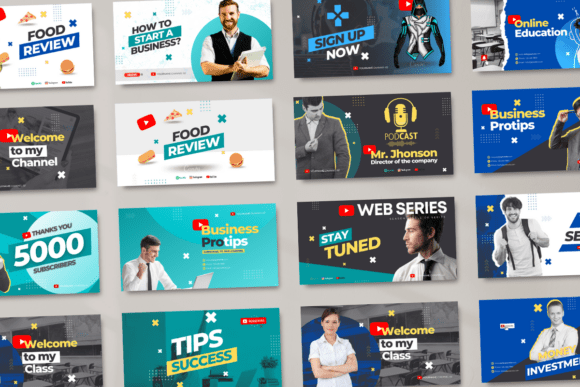
Browse 100+ thumbnail templates for every niche — gaming, vlog, business, faceless, and more. Fully editable in Canva.
Affiliate link — we earn a small commission
at no extra cost to you
Thumbnail Bundle Kits
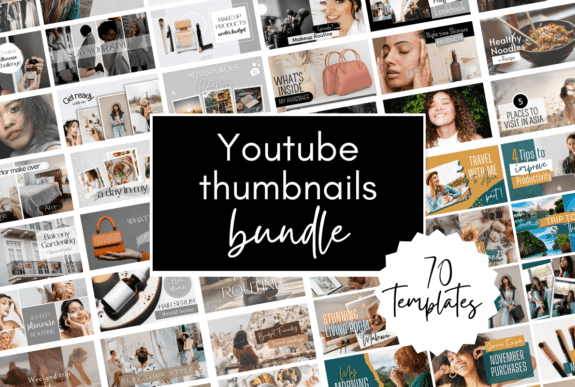
Complete sets of 10–50 thumbnails in one style
Affiliate link — we earn a small commission
at no extra cost to you
Niche Thumbnail Templates

Gaming, vlog, business, podcast, faceless, and more
Affiliate link — we earn a small commission
at no extra cost to you
High-CTR Thumbnail Layouts

Bold text, before-after,
reaction styles
Affiliate link — we earn a small commission
at no extra cost to you
Shorts Thumbnail Templates
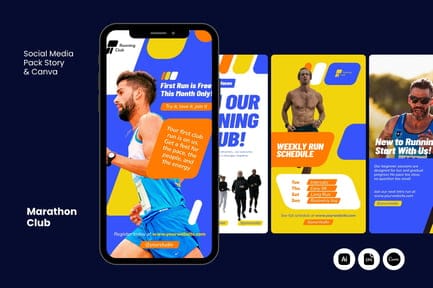
Vertical format (9:16) for
YouTube Shorts
Affiliate link — we earn a small commission
at no extra cost to you
Browse Thumbnail Templates
by Style & Niche
Can't Find the Perfect Thumbnail?
Browse 1,000+ YouTube thumbnail templates on Creative Fabrica —
all Canva-ready and fully editable.
Creative Fabrica offers millions of designs on any topic.
Browse by menu category or enter your search to find
and download the design you like for free.
Affiliate link — we earn a small commission at no extra cost to you
FAQ
1280×720px (16:9 ratio), minimum width 640px.
Yes, all Canva templates work on mobile app.Answer: Yes, all Canva templates work on mobile app.
Most templates work with free Canva, but some premium elements require Canva Pro.
Bold, sans-serif fonts (e.g., Anton, Bebas Neue, Montserrat Bold) are most readable on mobile.
Use high contrast, bold text (60–80px), and limit text to 3–5 words.
Yes, all templates are licensed for commercial use (check Creative Fabrica license).
Test new styles every 10–20 videos, but keep brand consistency.






Get a free YouTube thumbnail mini pack
Canva-ready templates + design tips straight to your inbox
By subscribing you agree to our Privacy Policy